
Know what you owe. Record it in a few clicks.
Every consignor’s balance is always up to date. When it’s time to pay, record it, hand over a statement and move on.
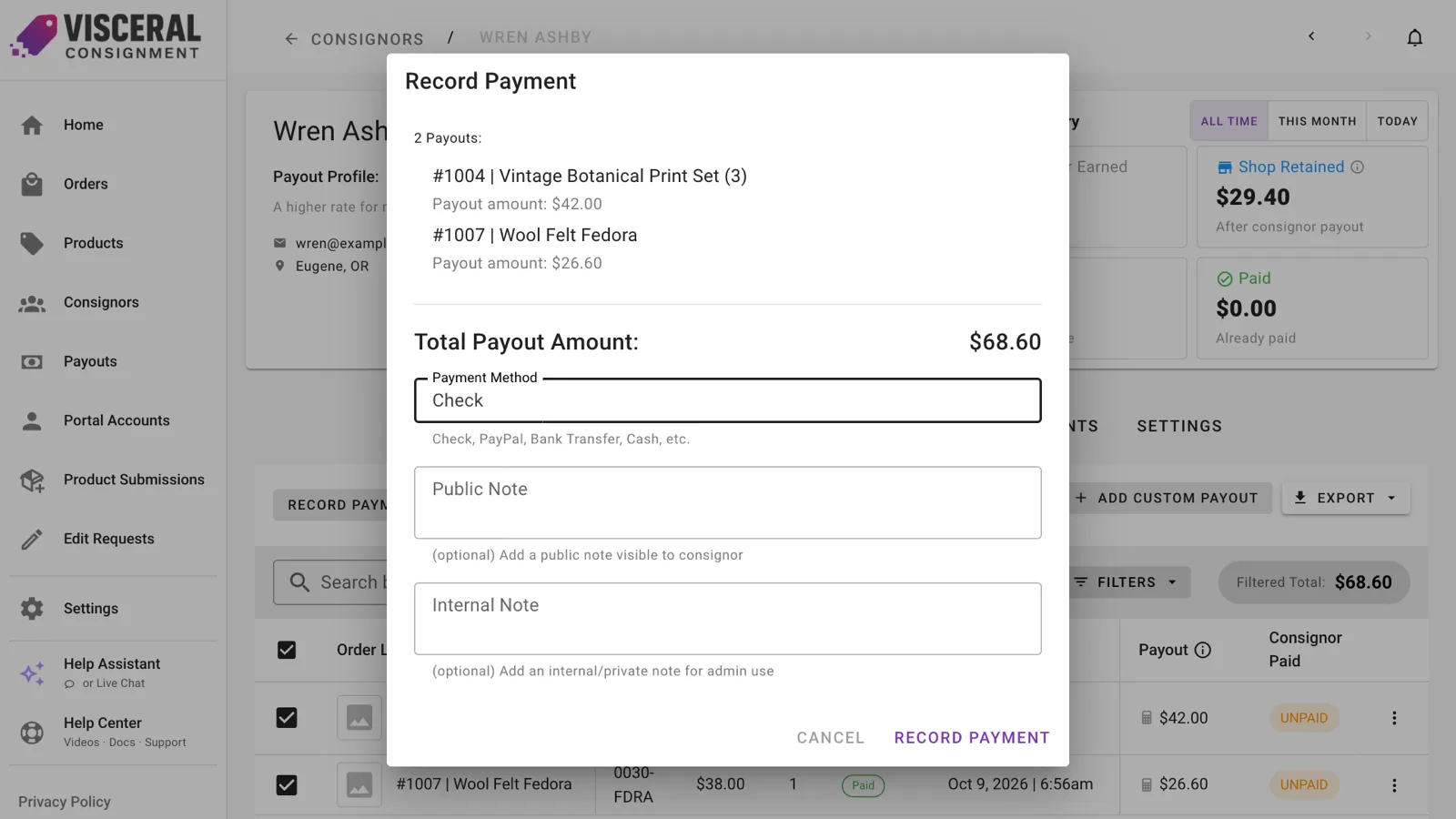
Pay one consignor or a whole list
Select the sales you’re paying from a consignor’s Orders tab, or pay everyone with a balance at once from the Consignors page. Add a custom payout for anything outside a sale, and adjust a payout after it’s recorded if you need to.
- Recurring monthly fees can be taken out automatically
- A sale the customer hasn’t paid for yet can’t be paid out early
Statements consignors can read
Each payout comes with a PDF statement listing every sale. Put your own header on it and choose its columns, from order number and listed price to tax and location. Consignors see the same statement in their portal.
The numbers your bookkeeper asks for
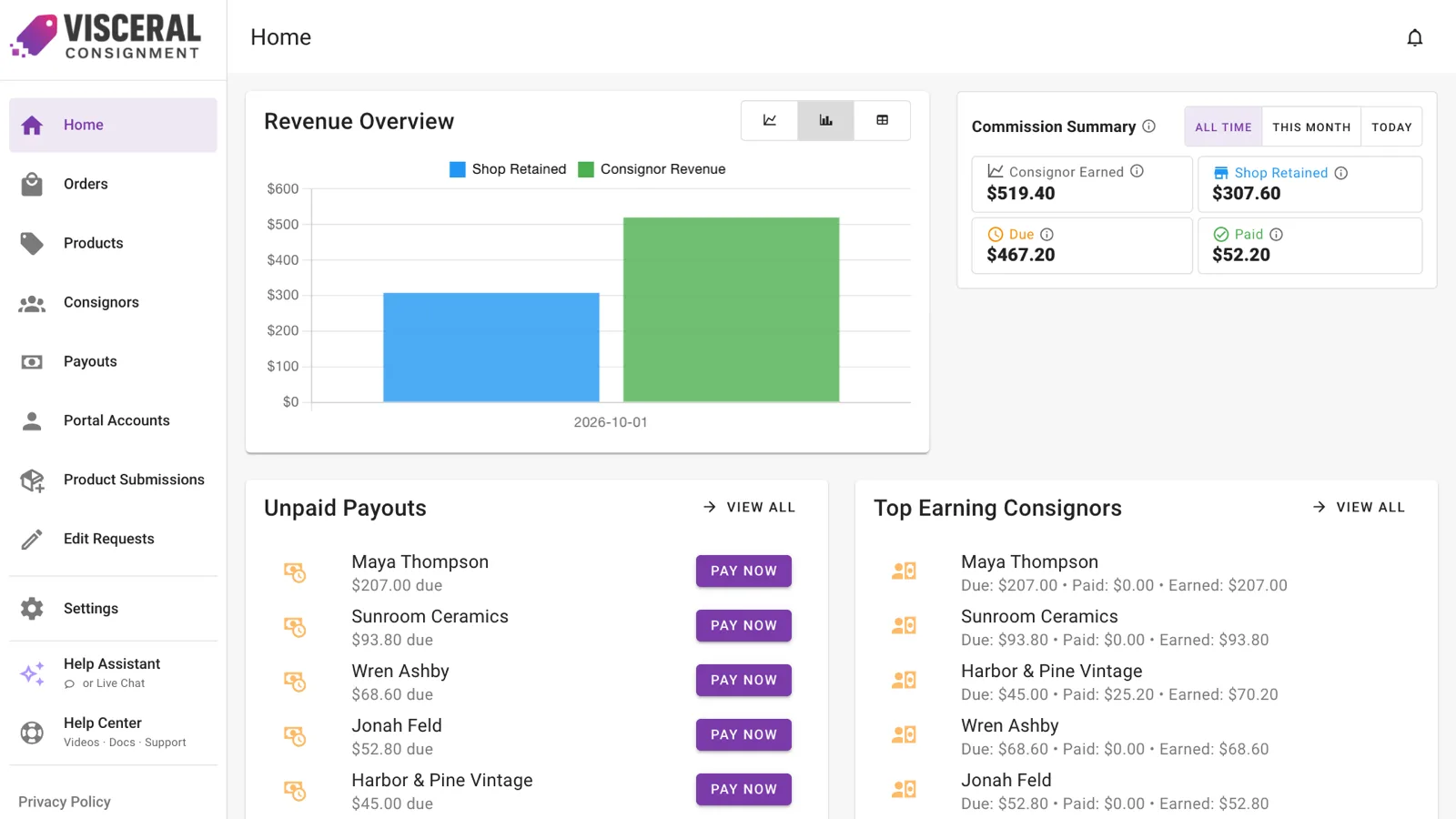
The dashboard shows what consignors earned, what your shop kept and what’s still due. The Monthly Summary breaks it down by month with a total for the year, and every list exports to CSV with the columns you choose.
Good to know.
Does recording a payout send money?
No. It marks the sales as paid and creates the statement. You pay consignors the way you already do.
What happens when an order is refunded or deleted?
Refunds are taken off the consignor’s payout automatically. If you delete an order in Shopify, its unpaid lines leave your reports, and anything already paid stays in payout history.
Less time on the math. More time on your shop.
Add Visceral Consignment to your store and start your free trial today.